




 TV Operators
  Healthcare
  Digital Signage
  Hospitality
  Education



 TV Operators
  Healthcare
  Digital Signage
  Hospitality
  Education


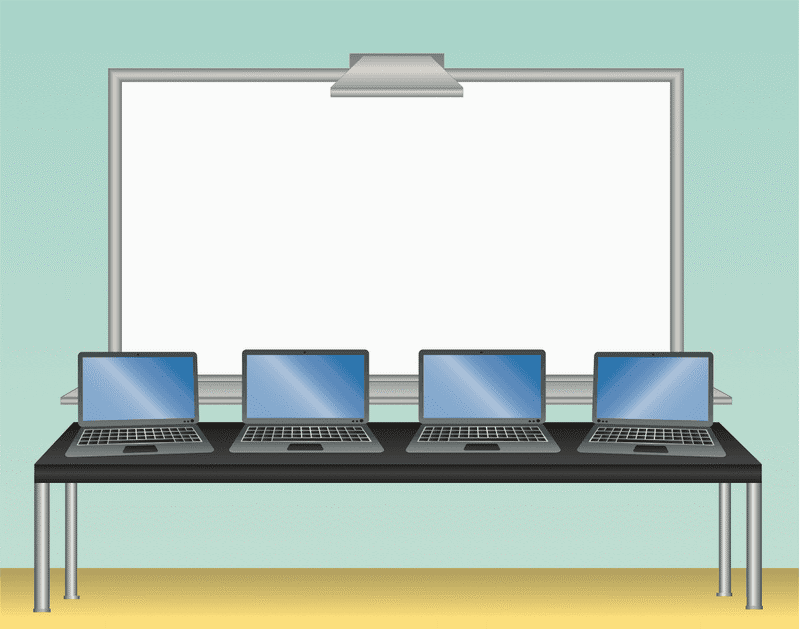
Interactive Touchscreens in the Classroom–Both a Help and a Hindrance
The chalkboard and the overhead projector served their purpose well over the years. As technology has evolved, whiteboards have become more prevalent. Today, however, classrooms use large, interactive touchscreens to better engage students and manage in-class and remote learning. With this technological shift, schools are finding themselves in need of a device management solution to maintain all of their devices.
These touchscreens are creating immersive experiences for students and demonstrating positive results. When teaching includes collaborative learning and frequently employing the right technology, studies show a 23% higher level of active engagement by students. Researchers at Harvard did a meta-analysis of 255 studies of teaching methods and technology. They concluded that turning students into active participants – rather than passive listeners – boosted exam scores and reduced failure rates by 55%.
It has also shown a striking improvement in STEM (Science, Tech, Engineering & Math) learning in students of all ages as young as kindergarten age.
Interactive learning on a touchscreen has created new teaching methodologies. In many cases, multiple students – often as many as 6-8 – can interact on the touchscreen at the same time. This level of engagement creates more group learning experiences and aids in social interactions as well. Some systems can distribute content from the big touchscreen to individual students’ devices whether they are in class or learning at home. This allows for highly interactive group learning.
In essence, touchscreens are very expensive, very large tablets. When exposing this technology to today’s tech-savvy students, it must be centrally managed – especially if you are dealing with multiple touchscreens across multiple classrooms. Each device must be configured, patched, updated, and optimized for its mission at all times.
Doing this manually is incredibly labor-intensive and can lead to different versions of firmware and software, settings, and levels of policy enforcement.
Managing Interactive Touchscreens
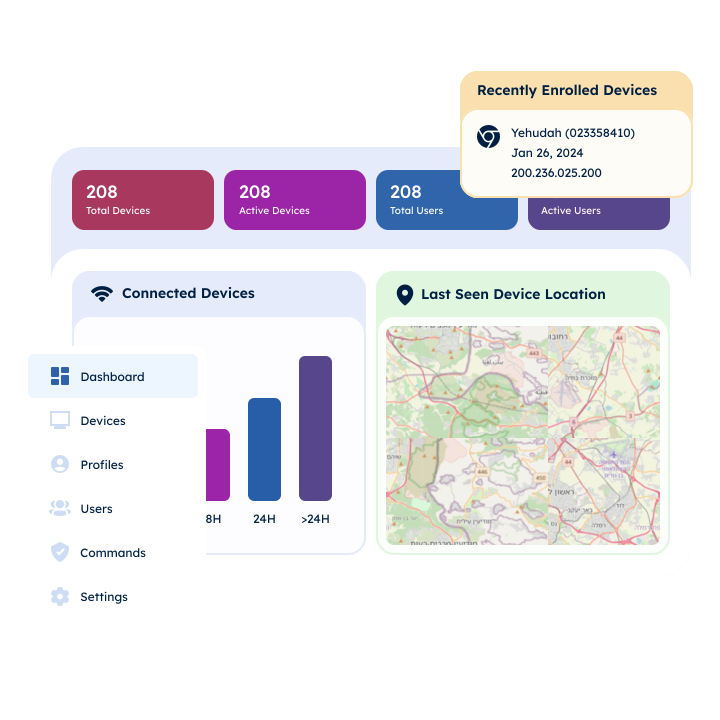
Radix provides tools to manage all your interactive touchscreens and all other devices in one platform.
Radix Interactive Touchscreen Management allows IT teams to manage touchscreens across an entire school district. It is a cloud-based application, meaning that you can manage the touchscreen devices remotely.
- You can control the screens in real-time
- You can trigger the devices to wake up, restart, and shut down
- You can configure and update settings and software
- You can issue system-wide alerts
- You can perform policy enforcement, such as app or web filtering
- You can put the devices in Kiosk mode, limiting them to only certain applications
For IT teams, this allows for remote OTA firmware management, batch scheduling of updates and patches, and interaction with SDKs or APIs from vendors. It allows for rapid deployment of changes in settings or policies. Locking, unlocking, and resetting touchscreens can all happen remotely.
Touchscreen MDM for OEMs and Vendors
The Radix B2B business model has unique offerings for OEMs and Vendors that allow them to bundle interactive touchscreen management with their devices. This includes offerings such as:
- Firmware integration happens at the factory level, which means the device is coming out of the box MDM-ready
- Every device comes with a device management license
- White-label options and custom features are available
- Special tools for OEMs and vendors
- Ad-hoc support
- OTA firmware management to patch and update devices
All of this allows OEMs and vendors to integrate Radix Interactive Touchscreen Management into devices and deliver a fully functional MDM-ready solution for schools.
Interactive Touchscreen Tools for All Stakeholders
Being able to manage all your touchscreens from a single platform, and do it remotely, allows administrators and principals to be comfortable that the integration and management of new technology in the classroom will be more seamless. IT administrators can manage every function. Teachers and other educators can worry less about the tech and more about the teaching.
Vendors and OEMs can be confident that their technology will be deployed and used efficiently in schools. This cuts down on frustration.

Managing Technology in Classrooms
Technology in schools has flipped the way teachers run their classrooms to improve the learning environment. In the old days, teachers lectured while students did homework. Today, you can prerecord homework, or conduct live video lessons, readings, or online research. In the classroom, students can engage in experiments, group learning, and projects.
Interactive touchscreens allow the magic to happen. Teachers spend less time lecturing and more time interacting and engaging with students. The results can be dramatic.
Device Management Challenges
By introducing more tech into the classroom, managing it all will continue to be a challenge. Teachers nationwide have noted that sophisticated technology is great, but forcing teachers to handle their own tech support is taking a toll. In New York City, for example, some teachers report that sometimes they have to wait weeks to get a repair request fulfilled. Calls to the help desk could take hours to get through just to create a support ticket. Many of the problems could be resolved by rebooting devices or simple fixes. However, in cases where the instructor had to transport the device or wait for IT teams to show up, it meant that they weren’t able to employ these important teaching tools.
This is not an isolated issue. A 2020 study done by the EdWeek Research Center reports that 87% of teachers say they are spending more time troubleshooting technology and 71% less time on student instruction.
Device Management Solution
Using a single platform to handle the management of interactive touchscreens remotely is the solution. IT teams can take control remotely to troubleshoot and resolve problems more quickly. They can also do remote diagnosis and management to avoid many of the problems that occur in the first place.
This provides faster turnaround, more efficient resolution, and more robust management. For educators, it means more teaching time and less worry about the technology they are using. For OEM and vendors, incorporating Radix Interactive Touchscreen Management into your devices facilitates faster adoption and can be a major selling point.
The experts at Radix are ready to answer any of your questions! For more information on Radix Interactive Touchscreen Management, contact Radix, a leading supplier of Mobile Device Management (MDM) and Enterprise Mobile Management (EMM) tools focusing on education.
 Radix’s Security Infrastructure: What It Takes to Safeguard, Scale, and Simplify Device Management
  Scaling With Confidence: Choosing the Right Android Device Management Platform for a Large Device Fleet
  Fix Technical Issues Faster: A Guide to Remote Diagnostics and Device Troubleshooting Tools
  Cutting Costs and Improving Customer Support Efficiency With Smarter Device Management
  Device Manufacturers: Embed an Android Device Management App at the Firmware Level for a Competitive Edge